Workflow automation for Lehigh Valley businesses
Connect the steps between your tools, with a clear record of what ran and who handles exceptions.
Om Concepts builds workflow automation and business-tool integrations across the Lehigh Valley. Projects can connect intake forms, CRM records, email, and reporting using defined rules. We map the source of each record, test failures and duplicate events, and document who owns the process. AI can handle a specific interpretation step when the workflow calls for it.
Your workflow core
Your workflow core
What clients say
Apps and systems used in real businesses.
“Alex has built and deployed several apps and projects that make managing my business easier”
Donald Mayock
Custom apps & business systems
“from web design and google analytics to AI and automation support.”
Mike Cimerola
JAM Graphics and Printing · web, analytics, AI & automation
Review excerpts verified .
2 options
Packages
Pick one to start. We can resize or combine later if the work calls for it.
Automation Starter
Small teams needing fast automation wins
1-2 weeks
- Workflow audit and opportunity map
- Up to 2 automations
- Basic integration across 2-3 tools
- Documentation and handoff
Automation Growth
Businesses ready to systemize core operations
3-5 weeks
- Everything in Automation Starter
- Custom workspace or PM build
- Multi-step automations and data pipelines
- CRM, project, or ops system setup
- Team training session
Workflow automation starts at $750 for a scoped implementation. Larger integrations are priced by systems, access, steps, and support requirements. The proposal separates implementation from platform subscriptions, model usage where applicable, and ongoing monitoring or maintenance.
Scope and fit
Plan the first useful step
Map the handoff before building
A possible intake flow validates a submission, creates or updates a CRM record, alerts the responsible person, and records delivery status. The source system stays clear, duplicate submissions have a defined policy, and failed steps go to an owner. This is a scoping example rather than a reported client result.
Use AI where judgment helps
Fixed field mappings and routing rules can run without a model. Classifying an open-ended request or drafting a summary may benefit from an AI step with a review rule. We explain that choice in the workflow map so you can see what depends on a model.
Make failures part of the design
Check rejected credentials, missing fields, timeouts, repeated events, and unavailable downstream tools. The handoff covers alerts, retries, recovery, credentials ownership, and how to pause the workflow. Compare actual runs and correction time against the baseline before claiming savings.
Explore the work and options
- Review the publishing workflow
The Pool Patrol Pros case describes approvals and publishing records from April through June 2026.
- Map lead follow-up
A worksheet for triggers, handoffs, and follow-through.
- Compare a custom AI agent
For workflows that require interpretation and bounded tool choices.
Working across the Lehigh Valley
Serving businesses across the Lehigh Valley, including Allentown, Bethlehem, Easton, and Whitehall. In-person work is arranged during scoping; remote delivery is available. Each engagement defines access, responsibilities, and the evidence used to review the result.
Explore our service areaWhat this solves
- 01Cross-tool workflows breaking at handoffs
- 02No unified operating model
- 03High founder dependency in daily execution
Three layers, one workflow.
Anatomy
Three layers, one workflow.
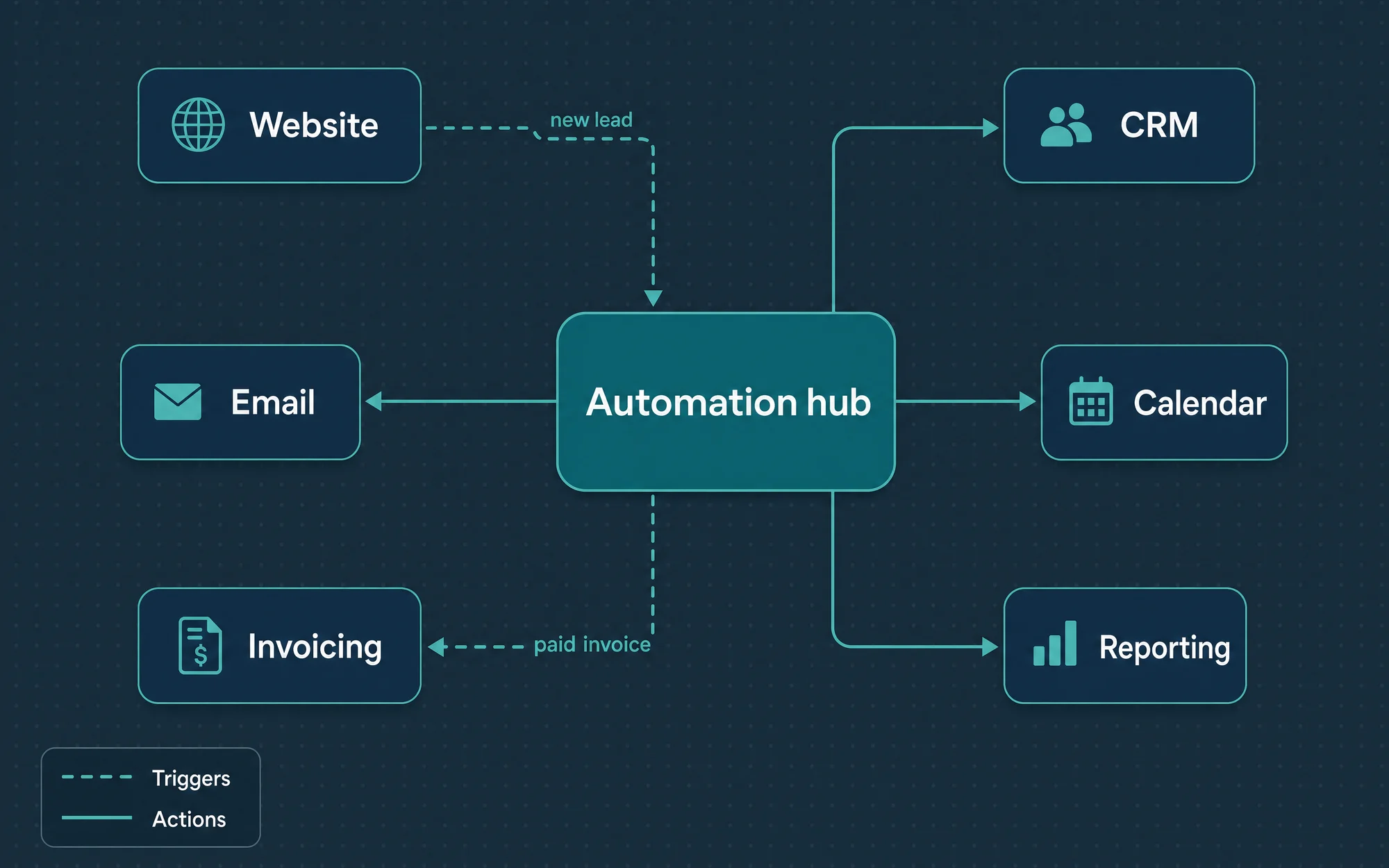
Automations stay reliable when triggers, logic, and systems are wired with the same discipline as product code.
- Trigger
- Forms, events, and schedules. The input layer that decides when a workflow fires and what payload it carries into the rest of the pipeline.
- Logic
- Routing, transforms, AI steps for the judgment calls, and approval gates. The decision layer where data gets shaped, branched, and held back when a human should weigh in.
- Systems
- Notion, Gmail, Slack, Stripe, and your CRM. The systems of record that workflows write to, so the business of record stays in sync.
What you get
How the engagement runs
Click any phase to see what ships
Evidence and review
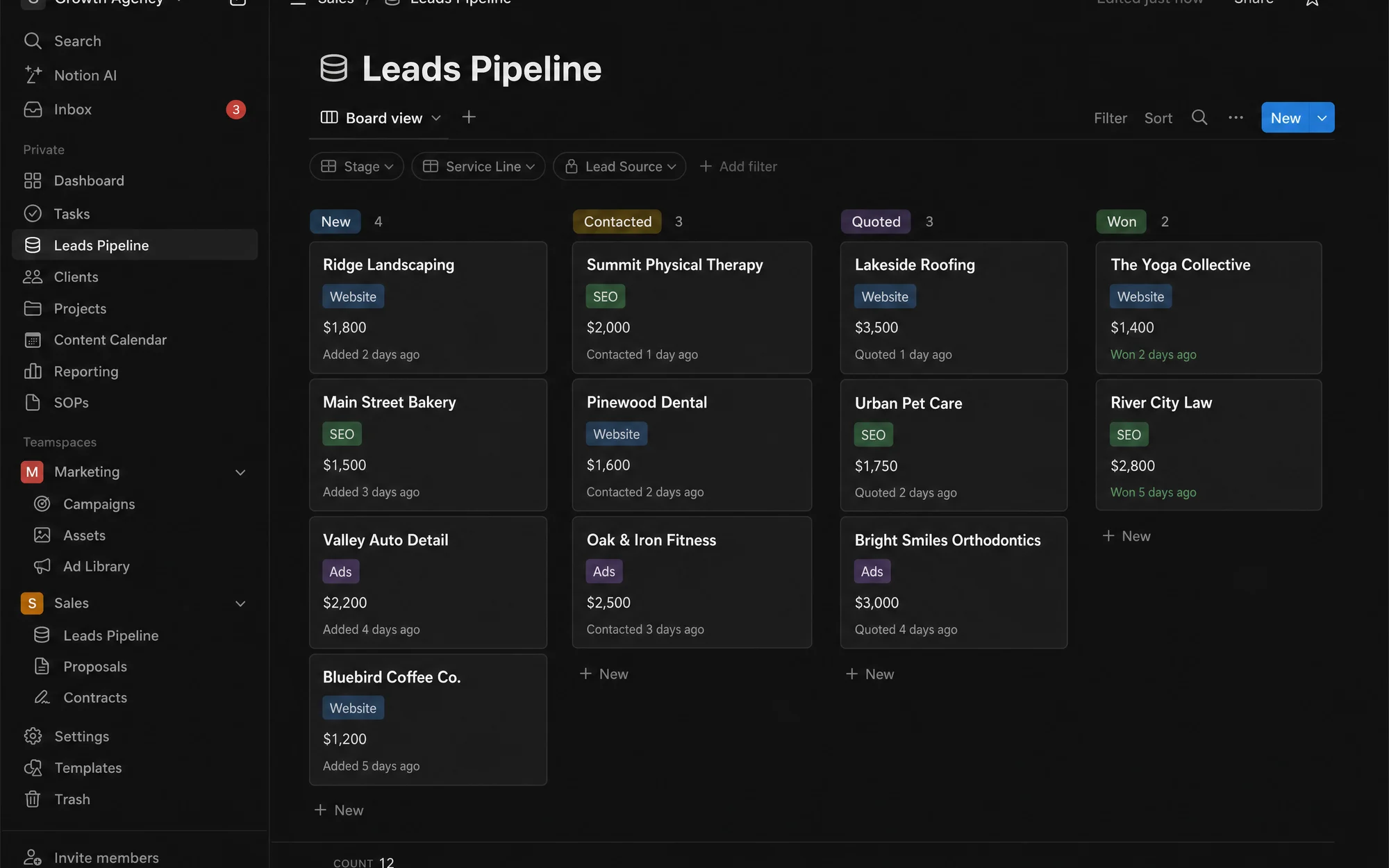
- Lead and fulfillment pipeline automation
- Cross-platform data routing with ownership standards
What the work looks like
3 artifacts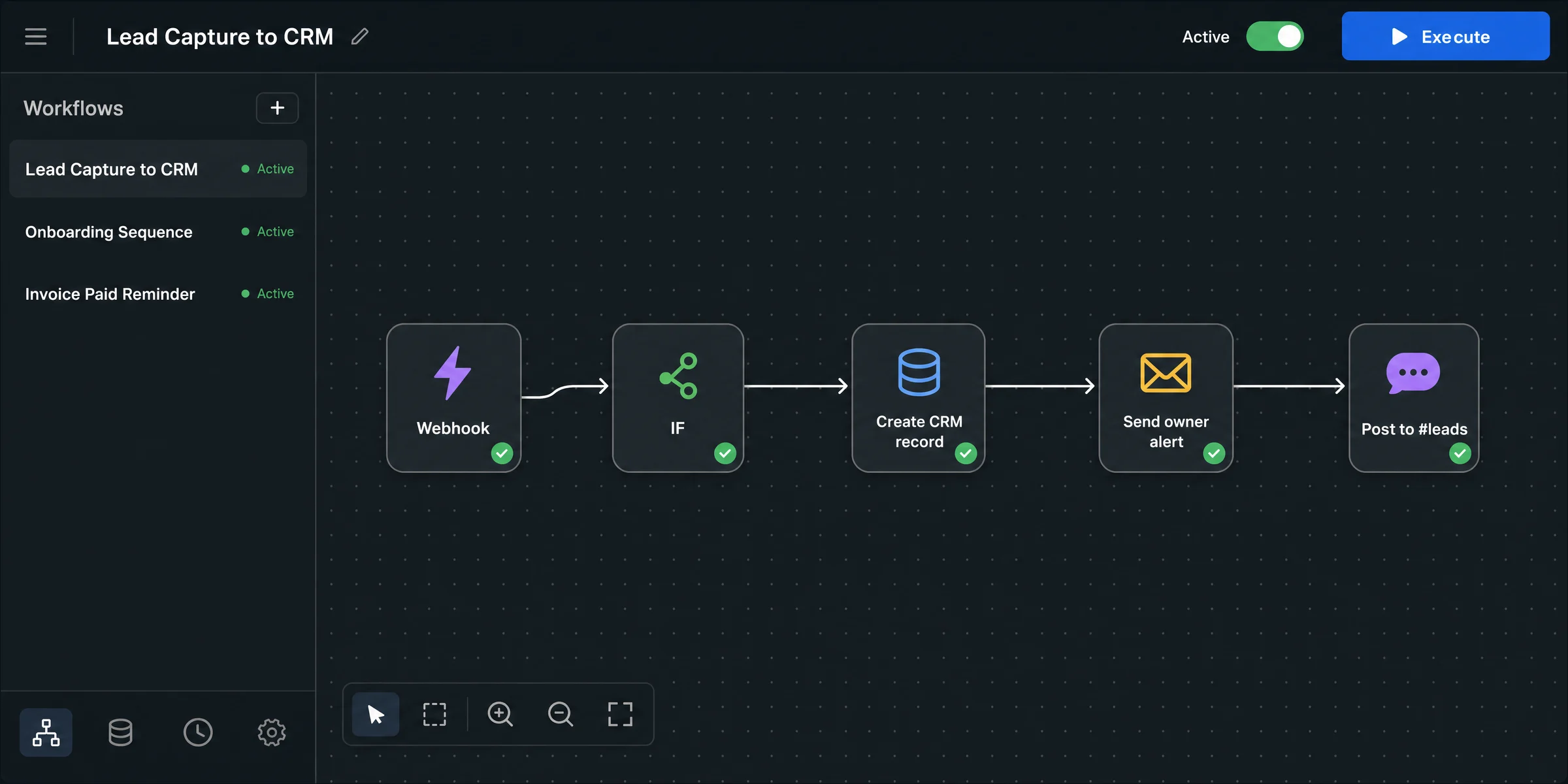
Common questions
Which tools can you connect?
Notion, Gmail, Slack, Stripe, your CRM, and most anything with an API. We use Zapier, Make, or n8n where they fit and write custom glue where they do not.
How do you decide what to automate?
We walk the workflow with the person who runs it and count the hours. Steps with clear rules get automated first. Steps that need judgment stay human, with a cleaner handoff.
What happens when an automation breaks?
You hear about it before your customer does. Every workflow ships with monitoring and error alerts routed to the right inbox, plus a runbook your team can follow.
Is AI part of these automations?
Where it earns its place. A model step can classify, extract, or draft inside a workflow, with the same guardrails and logging as every other step. When a whole workflow should run on a model, that is an agent, and we scope it as one.
Ready to scope Workflow Automation?
Thirty-minute working call. You leave with a direction, fit or not.