AI training for Lehigh Valley teams
Configure the accounts, practice real work, and give your team clear rules for what to use and what to check.
Om Concepts provides AI setup and practical team training across the Lehigh Valley. The engagement connects the tools you choose, such as ChatGPT, Gemini, Claude, or Microsoft Copilot, to specific team tasks. Your team practices with safe examples and leaves with reusable instructions, data-handling rules, and a way to check output quality.
Your enablement core
Your enablement core
2 options
Packages
Pick one to start. We can resize or combine later if the work calls for it.
AI Setup & Configuration
Teams ready to implement AI tools with expert setup
1-2 weeks
- AI tool selection and setup
- Integration with current stack
- Prompt engineering and workflow configuration
- Documentation and walkthrough
AI Training & Enablement
Organizations that want team confidence and repeatable adoption
2-3 weeks
- Custom training curriculum
- Live workshops
- Hands-on exercises
- Prompt library and references
- 30-day follow-up support
AI setup and configuration is $1,500 to $3,000. Team training and enablement is a separate $2,000 to $4,000 engagement. The proposal identifies sessions, participants, preparation, and follow-up; software seats and third-party subscriptions are separate unless explicitly included.
Scope and fit
Plan the first useful step
Configure the working environment
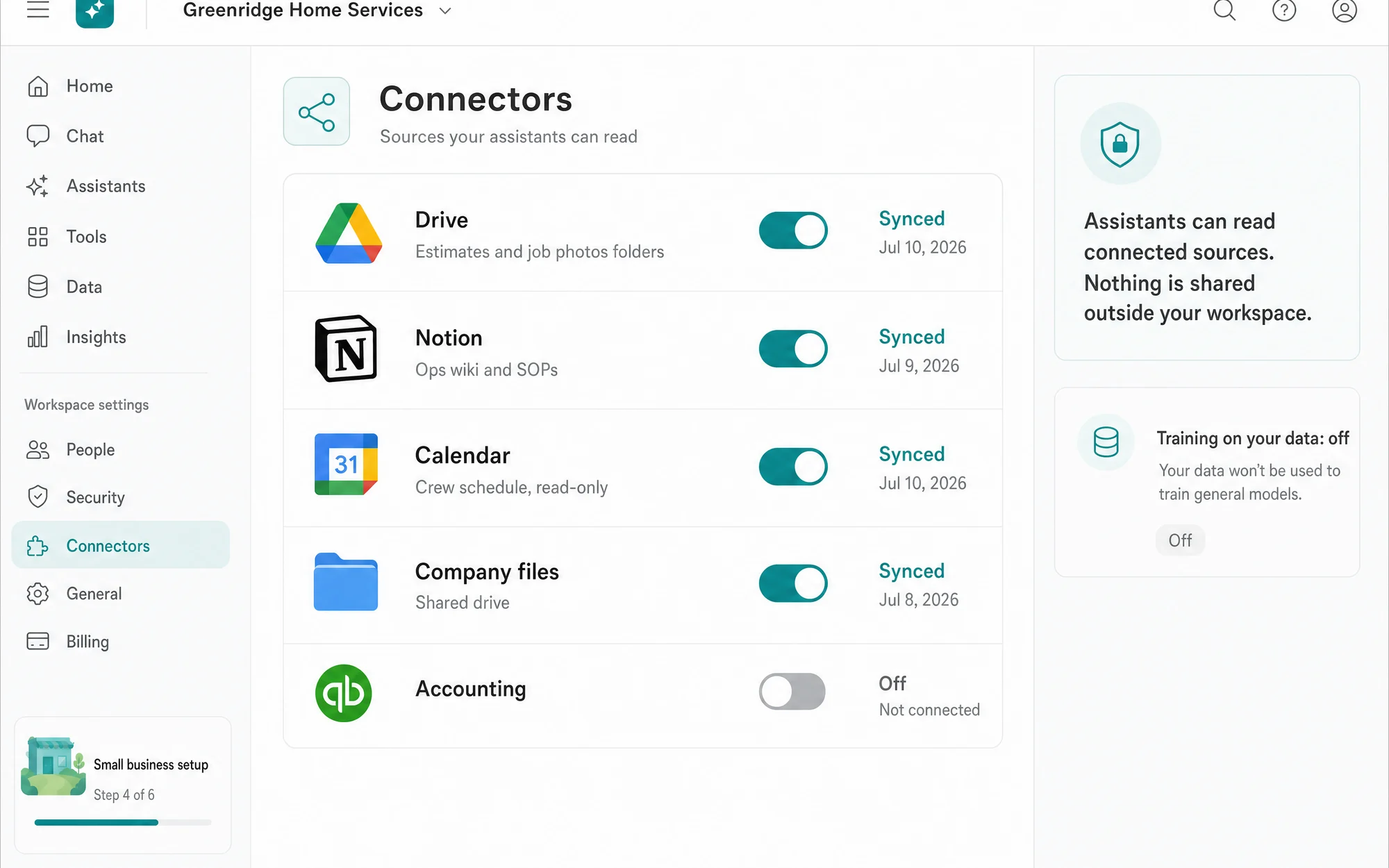
Agree on account ownership, approved tools, connector permissions, shared instructions, and information that must stay out of a model. We work from the subscriptions and accounts your team already has where they fit the job.
Practice work your team recognizes
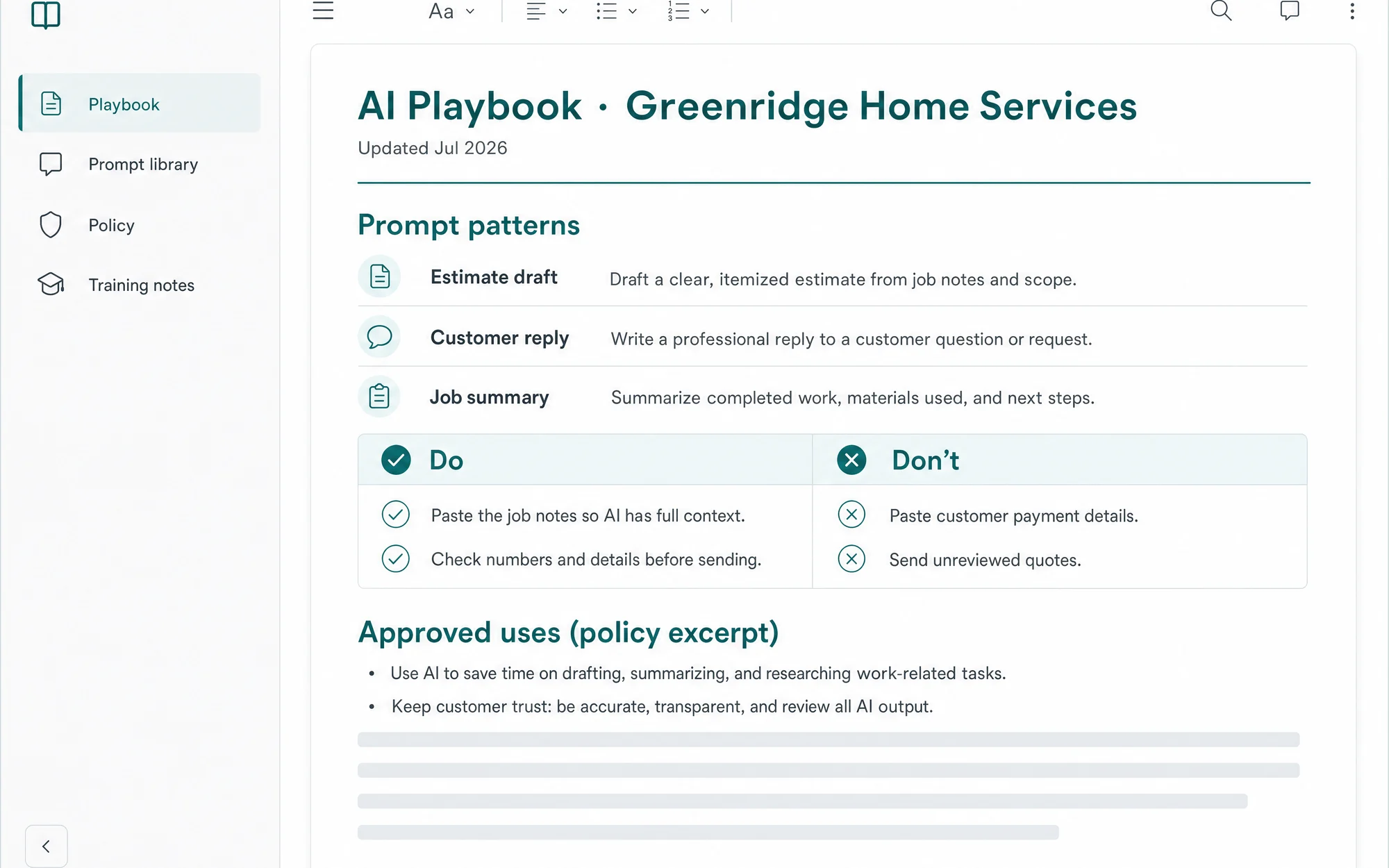
A sample session can cover drafting a customer reply from approved facts, summarizing a safe example document, or comparing research against its sources. Participants check the result, correct errors, and save the reusable instructions. The delivered agenda follows your team's roles and experience.
Review what people actually use
The 30-day follow-up reviews the agreed tasks, which instructions are being reused, where output still needs correction, and where the team needs help. Any later automation starts from those observations. A sample playbook demonstrates the approach; adoption and time savings need real usage evidence.
Explore the work and options
- Prepare with the readiness checklist
Identify useful tasks, data boundaries, and the people involved.
- Compare AI tools on your team's work
Use the selection worksheet to compare tools, practice a shared task, and review a small pilot.
- Read the one-page AI policy
An educational example for setting clear team expectations.
- Plan a workflow integration
Connect the repeatable steps after the team understands the process.
Working across the Lehigh Valley
Serving businesses across the Lehigh Valley, including Allentown, Bethlehem, Easton, and Whitehall. In-person work is arranged during scoping; remote delivery is available. Each engagement defines access, responsibilities, and the evidence used to review the result.
Explore our service areaWhat this solves
- 01AI subscriptions with no owner and no policy
- 02Output quality that swings from person to person
- 03Sensitive data pasted into the wrong tools
Three layers, one enabled team.
Anatomy
Three layers, one enabled team.
AI tools only pay off when the accounts, the wiring, and the people are set up as one system.
- Accounts
- ChatGPT, Claude, and Copilot on the right plans with the right access. The foundation: seats, security, and data settings done properly on day one.
- Wiring
- Connectors into your files and tools, shared projects, and prompt libraries shaped to your actual work. Where a generic chatbot becomes your assistant.
- Practice
- Hands-on training, written playbooks, a plain-language AI policy, and follow-up sessions. The habits that make the setup stick after we leave.
What you get
How the engagement runs
Click any phase to see what ships
Evidence and review
- Review the published readiness checklist and one-page AI policy as educational examples
- The engagement produces a task-specific prompt library and a reviewed usage policy
What the work looks like
3 artifacts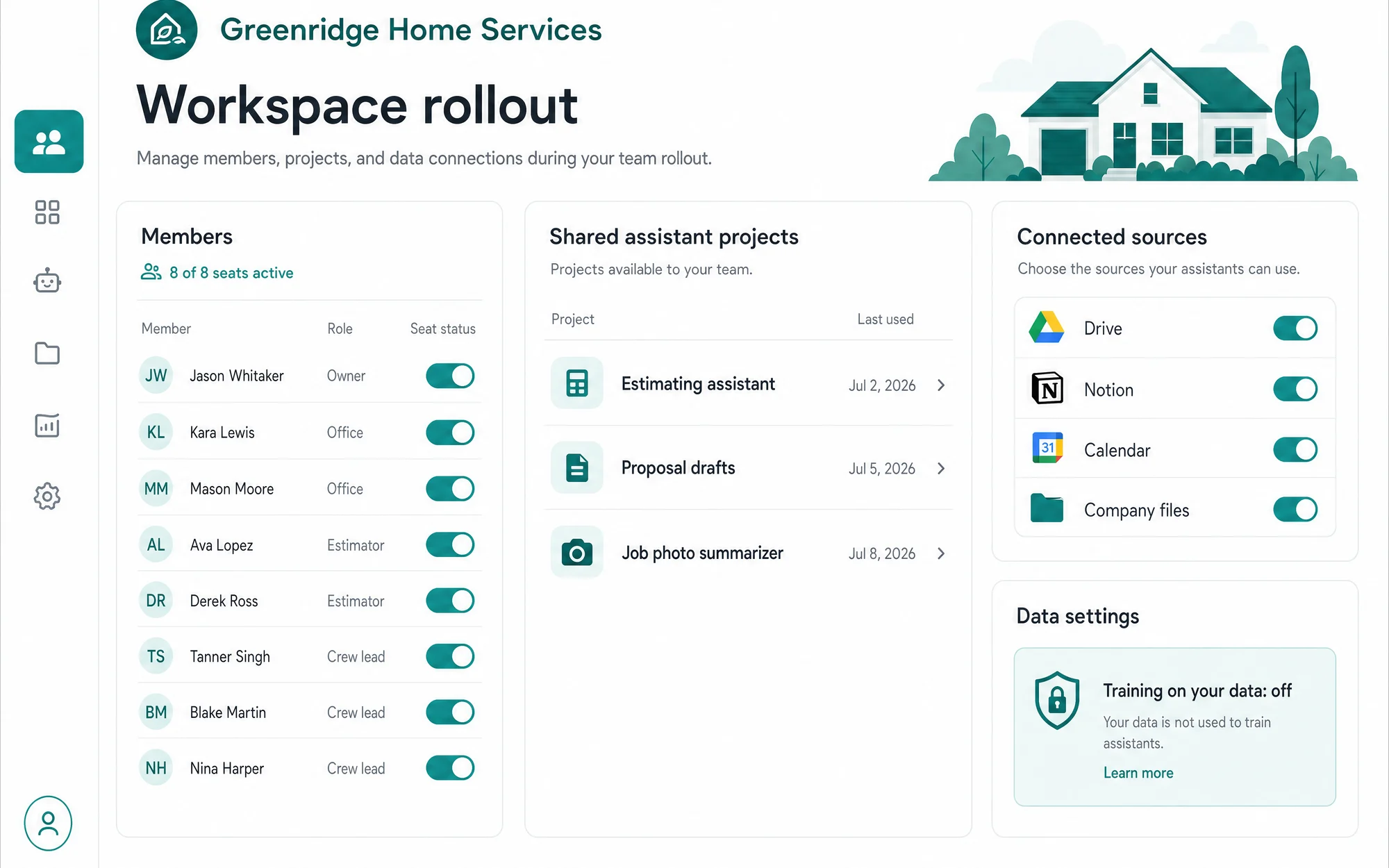
Common questions
Which tools do you set up?
ChatGPT, Claude, Gemini, and Microsoft Copilot are the common set. We work across all of them, benchmark them on your actual tasks, and recommend the smallest stack that covers your work.
We already pay for ChatGPT. Why does setup matter?
A default workspace is a blank box. Setup means custom instructions, projects, connectors to your files, permissions, and a prompt library for your workflows. That gap is why most seats go unused.
What does the training cover?
Live sessions on your accounts with your workflows, from drafting and research to data handling rules. Your team practices the tasks they run every week and leaves with the prompts to repeat them.
How do you handle sensitive data?
Part of setup is deciding what never leaves your systems. We configure workspace data controls, write the one-page policy, and teach the team what belongs in a model and what does not.
Is this only for teams new to AI?
It works both ways. New teams get a clean start. Teams already deep in AI get consolidation, better defaults, and prompts that stop living in one person's head.
Ready to scope AI Setup & Training?
Thirty-minute working call. You leave with a direction, fit or not.